
Ask a B2B marketer where their pipeline comes from and email rarely gets the credit it deserves. It sits quietly behind the paid campaigns and the social calendar, yet it returns more revenue per dollar than any other channel in the stack. So why do B2B teams still treat it as an afterthought?
I have spent years watching which emails earn a reply and which get archived in half a second, and the pattern holds: the ones that work respect the reader’s time and ask for exactly one thing. The fifty examples below come from companies like Stripe, Notion, HubSpot, and Grammarly, grouped by the job each email is doing, from the first welcome to the win-back that pulls a dormant account back in. Which of these would make you stop scrolling? Each one below includes the specific tactic you can lift for your own sends.
What Is B2B Email Marketing?
Where B2C email chases an impulse buy, B2B email supports a longer, higher-stakes decision made by a committee of people who each need different information. A single deal can involve an end user, a manager, and a finance approver, and email is the one channel that can reach each of them with the right message at the right moment. That is why the strongest B2B programs are built around lifecycle stages and behavior, mapping each send to a moment in the buyer’s journey.
The mechanics are familiar: a segmented list, a message matched to where the reader sits in their journey, and a single clear next step. The craft is in the matching. A prospect who just downloaded a report needs something different from a customer who has not logged in for a month, and the examples in this guide are organized around exactly those differences.
Why Email Still Outperforms Other B2B Channels
Hundreds of billions of emails move every day, and B2B buyers do more of their research alone than they used to. That combination makes email one of the few channels a brand fully owns: no algorithm decides who sees it, and no bidding war sets the price of reaching your own audience. When a buyer opts into your list, you have earned direct access to their attention, which is worth more each year as paid reach gets more expensive.
The performance backs up the adoption. B2B email routinely opens in the high-30s to low-40s percent, and automated, behavior-triggered sends outperform one-size-fits-all broadcasts. The lesson underneath every example below is the same: relevance earns the open, and relevance comes from sending the right email to the right person at the right time. For the tactical rules behind these numbers, Zen Media’s guide to B2B email marketing best practices goes deeper on execution.

| Metric | B2B benchmark | Source |
|---|---|---|
| Email open rate | 39.48% | HubSpot, 2025 |
| Click-through rate | 2.21% | HubSpot, 2025 |
| Automated vs broadcast opens | ~24% higher | Omnisend, 2026 |
| B2B marketers running newsletters | 73% | CMI, 2024 |
The Nine Types of B2B Marketing Email
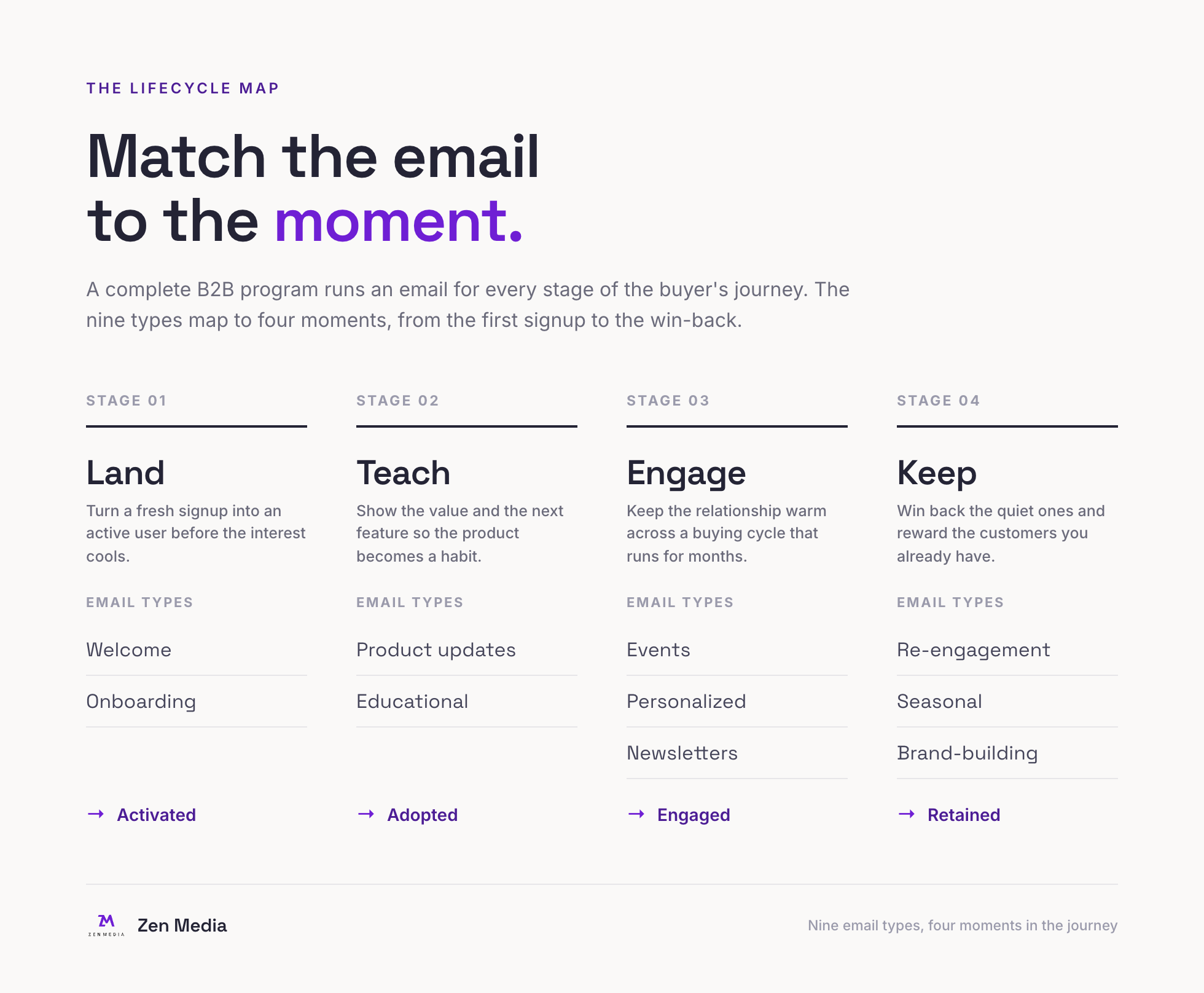
Every example in this guide fits one of nine jobs. A complete B2B program runs all nine, matching the email type to the moment the buyer is in. Use this as the map for the sections that follow.
Welcome and Onboarding Email Examples
The welcome email is the highest-open message a B2B brand will ever send, because the reader just raised their hand. The best onboarding emails spend that attention on one job: getting the new user to a first moment of value fast, and saving the full feature tour for later.
1. Canva’s Same-Day Activation Email

Canva fires its welcome the same day a user signs up, while intent is at its peak, and points to a single aspirational action that lands the user back inside the product in one click.
2. Monday.com’s Orienting Welcome

monday.com welcomes new users with a warm, colorful email that orients them and points to a single first action inside the product.
3. Loom’s Founder-Signed Welcome
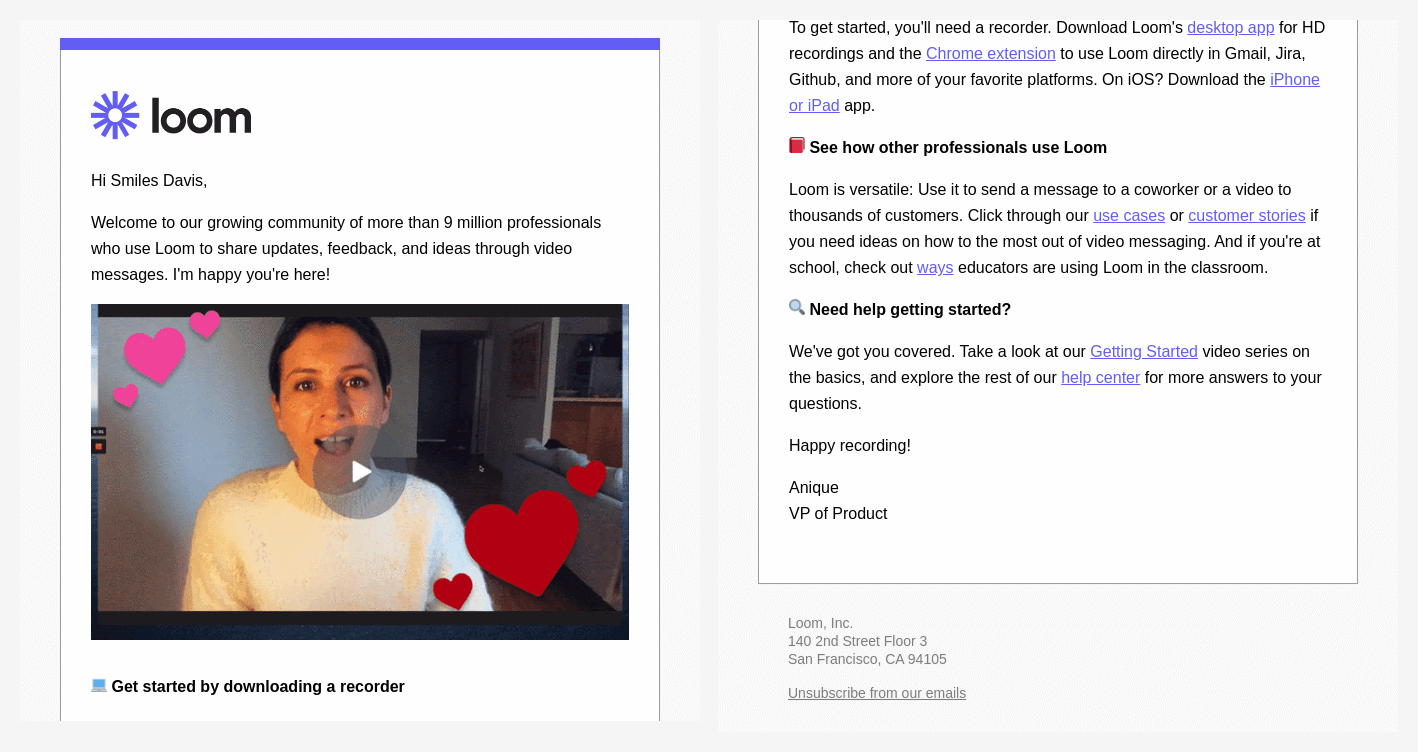
Loom’s welcome comes signed by a founder, opens with the social proof of millions of professionals already on board, and drives to a single button back into the product. One sender, one proof point, one ask, which is exactly why it converts.
4. Xero’s Orientation Guide

Xero’s welcome doubles as a compact orientation guide, pairing recommended first steps with links to training and a direct line to the support team.
5. Buffer’s Human-First Welcome

Buffer opens its welcome email by introducing the people behind the product before it asks for anything. That small choice reframes the relationship from vendor and user to two teams working together, and it earns the goodwill that later onboarding emails spend.
6. Campaign Monitor’s Getting-Started Nudge

Campaign Monitor watches for users who signed up but never built their first campaign, then sends a behavior-triggered nudge at the exact moment inertia threatens to win.
Product Update and Feature Launch Email Examples
A feature launch email has one enemy: indifference. Users skim, so the winning update emails make the new capability obvious in a glance and give exactly one reason to try it now.
7. Stripe’s Climate Onboarding Email
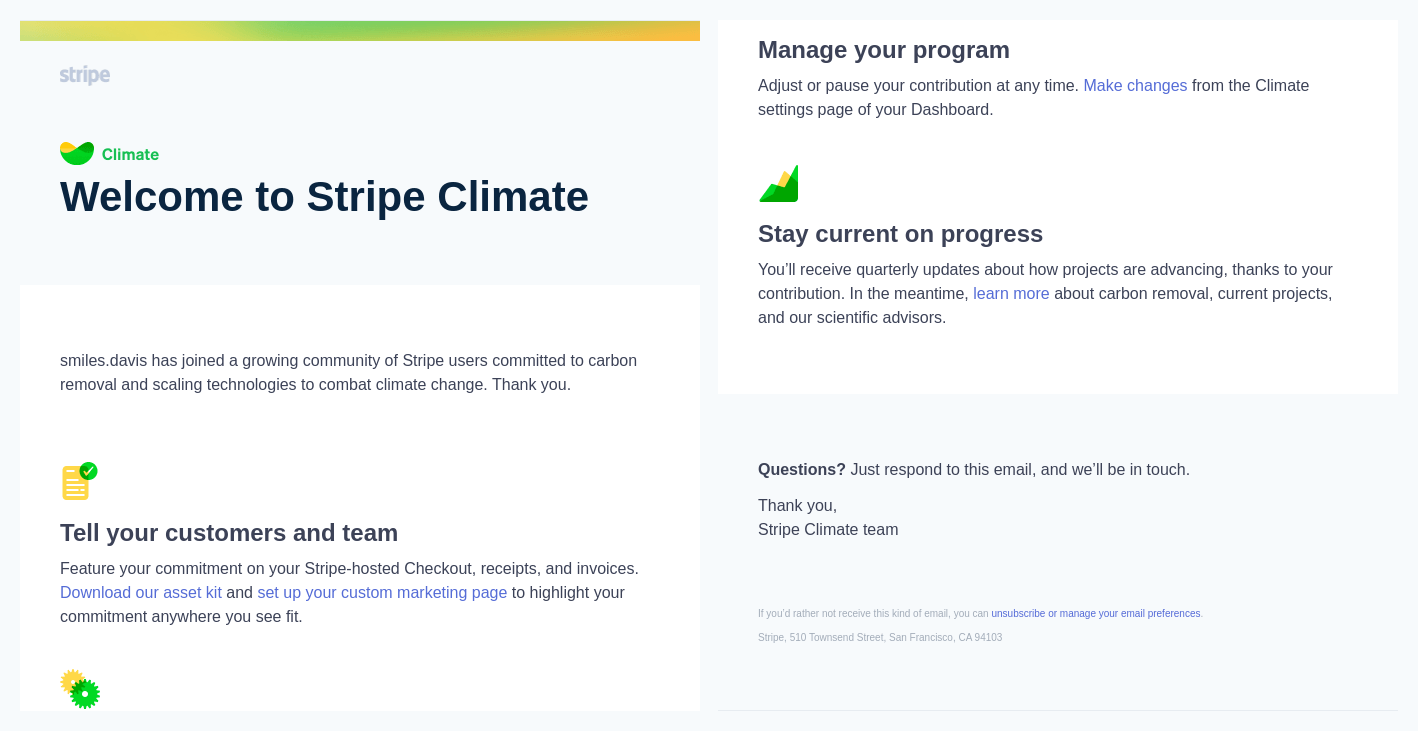
Stripe onboards businesses into Stripe Climate, its carbon-removal program, with a clean icon-led email that breaks the mission into three concrete steps and puts a button beside each one.
8. Atlassian’s Clean Feature Announcement

Atlassian announces new capabilities against a clean white layout with a single prominent call to action, so the feature never competes with design noise.
9. Miro’s Story-Led Update

Miro names the user’s pain point in plain language before it introduces the feature, then walks the update with real product screenshots that show the change in context.
10. Netlify’s Out-of-Beta Announcement
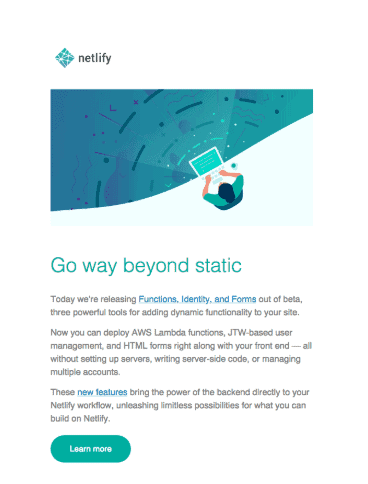
Netlify’s email announcing tools moving out of beta carries a signal developers read instantly: these features have been tested hard and are safe to build on.
11. Sprout Social’s Feature Walkthrough

Sprout Social pairs short how-to copy with an explainer graphic that demonstrates the new feature inside the email itself, so the reader understands the value without leaving their inbox.
12. Mailchimp’s Visual-First Upgrade

Mailchimp leads its upgrade announcement with a single graphic of the new capability on mobile, so the image carries the message before the copy has to.
Educational and Content Email Examples
Educational email is where B2B brands earn trust before they ask for a sale. The goal is to be genuinely useful to a buyer who is still learning, so the pitch, when it comes later, arrives from a source they already respect.
13. Salesforce’s Scannable Blog Digest
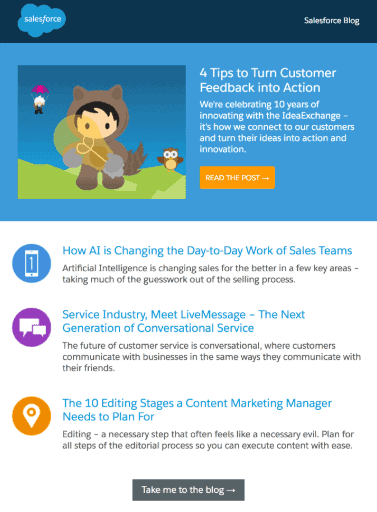
Salesforce takes a familiar format, a grid of post thumbnails, and strips it back to something a busy reader can scan in seconds.
14. DocuSign’s Objection-Handling Email
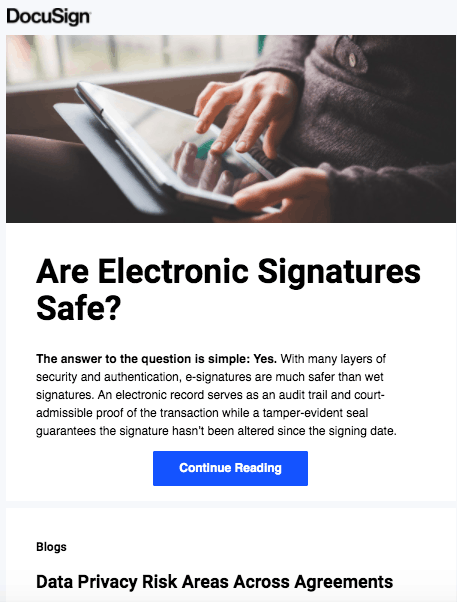
DocuSign uses email to answer the specific worry that stalls adoption: is a digital signature as secure and binding as a signature on paper?
15. Heroku’s Feature-Education Email

Heroku explains what makes its platform different by teaching users about specific capabilities they may not know exist, in the language of the product itself.
16. Help Scout’s Curated Reading Digest
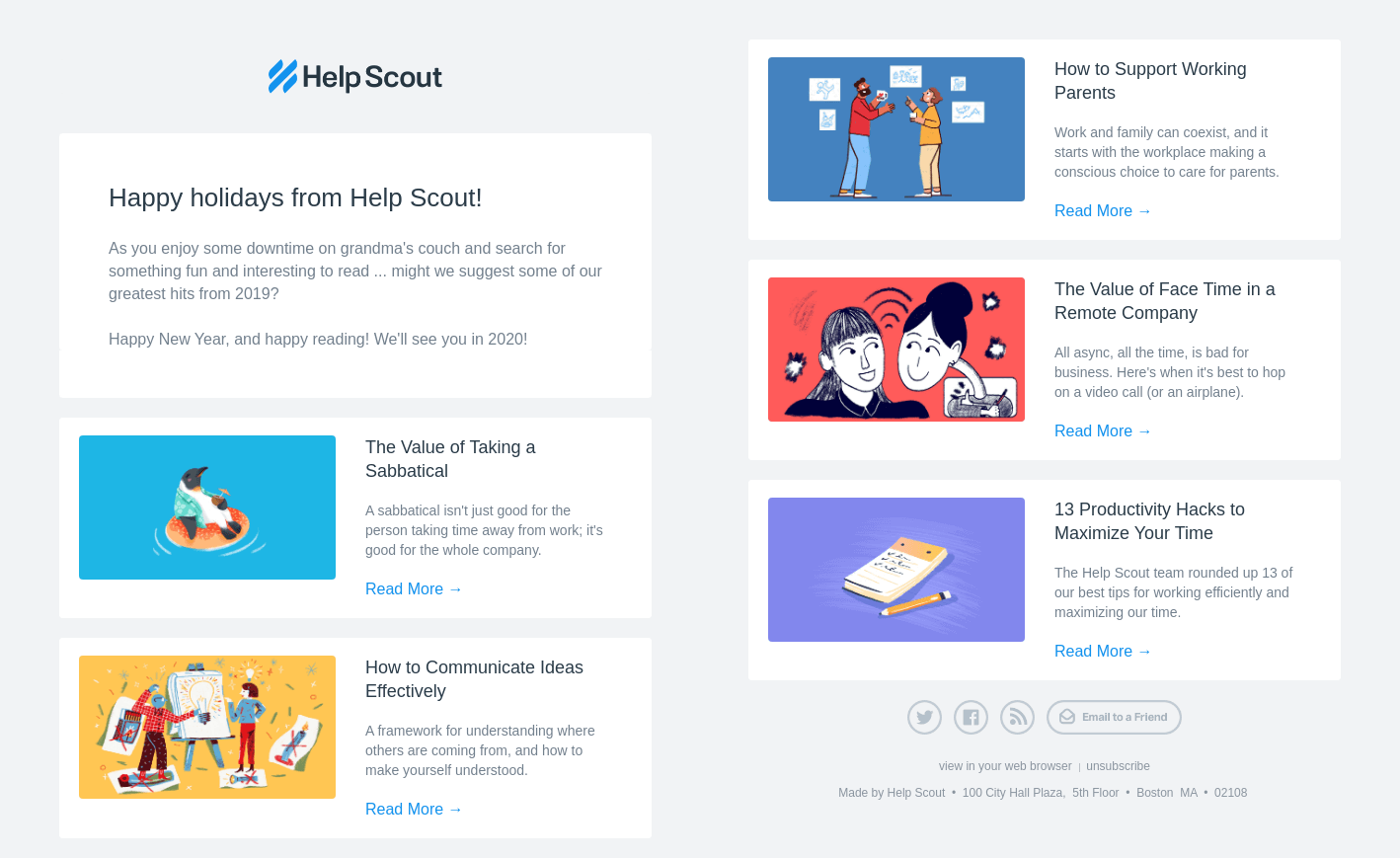
Help Scout rounds up its strongest articles into a single digest that teaches customer-support teams something useful and positions the brand as the expert in the space.
17. Unbounce’s Post-Download Follow-Up
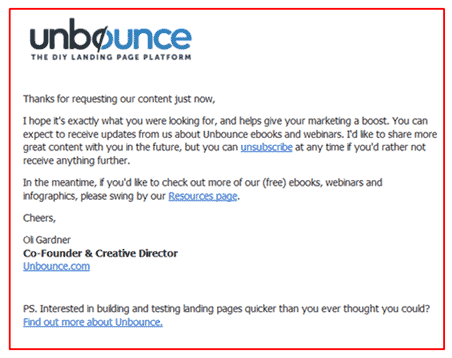
Unbounce follows a content download with a short email offering related resources, extending the value before it ever mentions a product.
18. SuperOffice’s Whitepaper Delivery
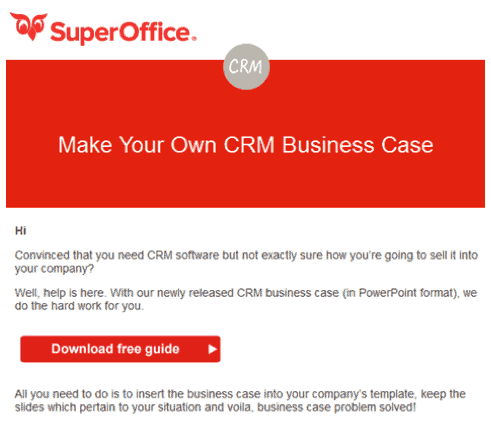
SuperOffice treats email as a distribution channel, sending a whitepaper to contacts who have already shown interest in the topic.
Event, Webinar, and Demo Email Examples
Event email has a clear job: convert an inbox into a calendar hold. The best invitations make the value of showing up concrete and the act of registering effortless, so the reader commits before the tab closes.
19. Notion’s Flagship Event Invitation
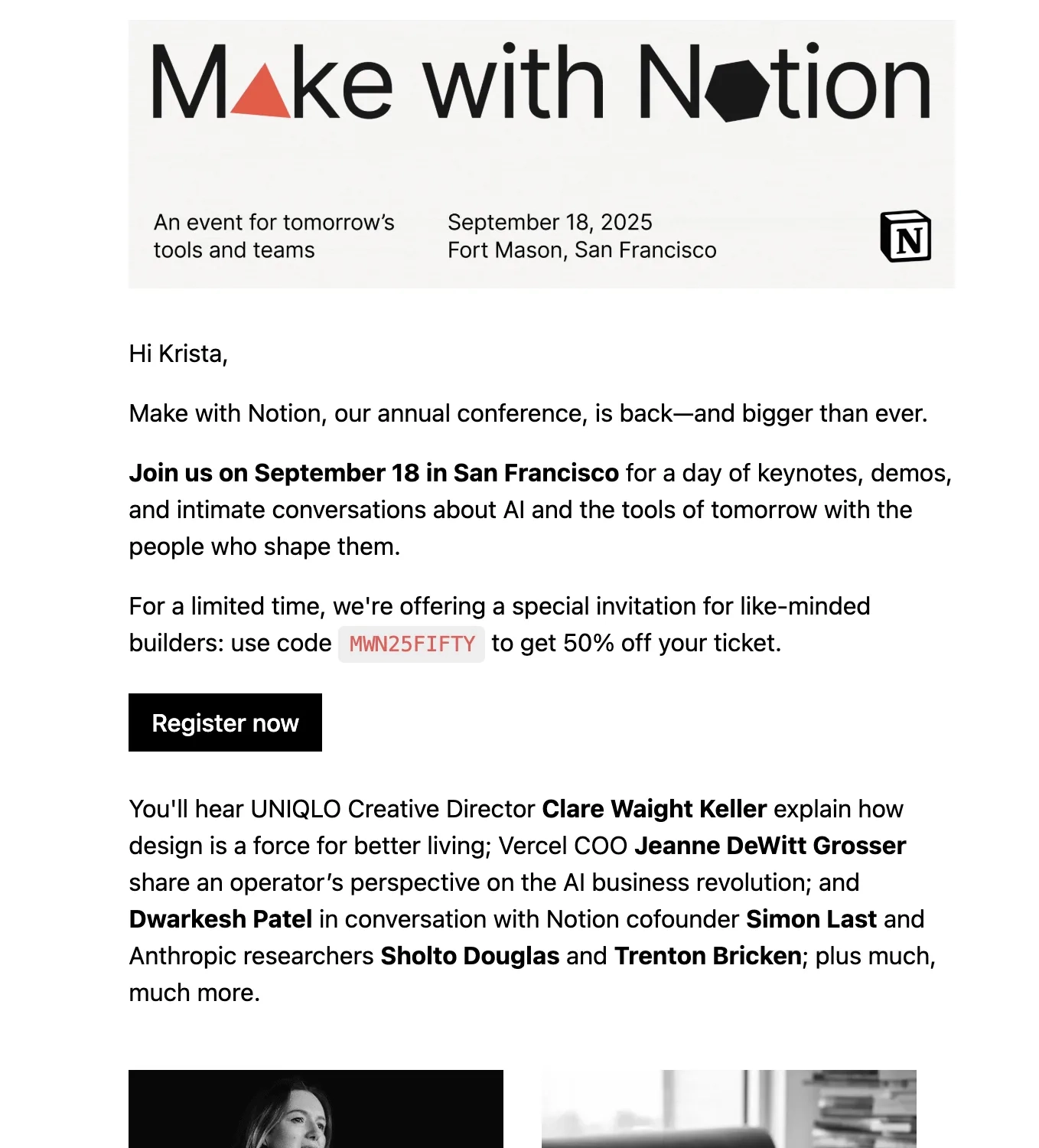
Notion frames its Make with Notion event as a personal invitation, giving the reader a sense of access to something the wider community is talking about.
20. HubSpot’s Takeaway-Led Webinar Invite
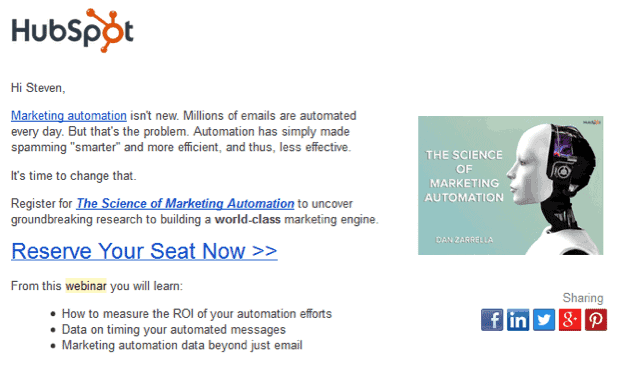
HubSpot’s webinar invitation previews the exact insights an attendee will walk away with, framing registration as an investment in knowledge worth the hour.
21. Webflow’s Plain-Language Conference Invite
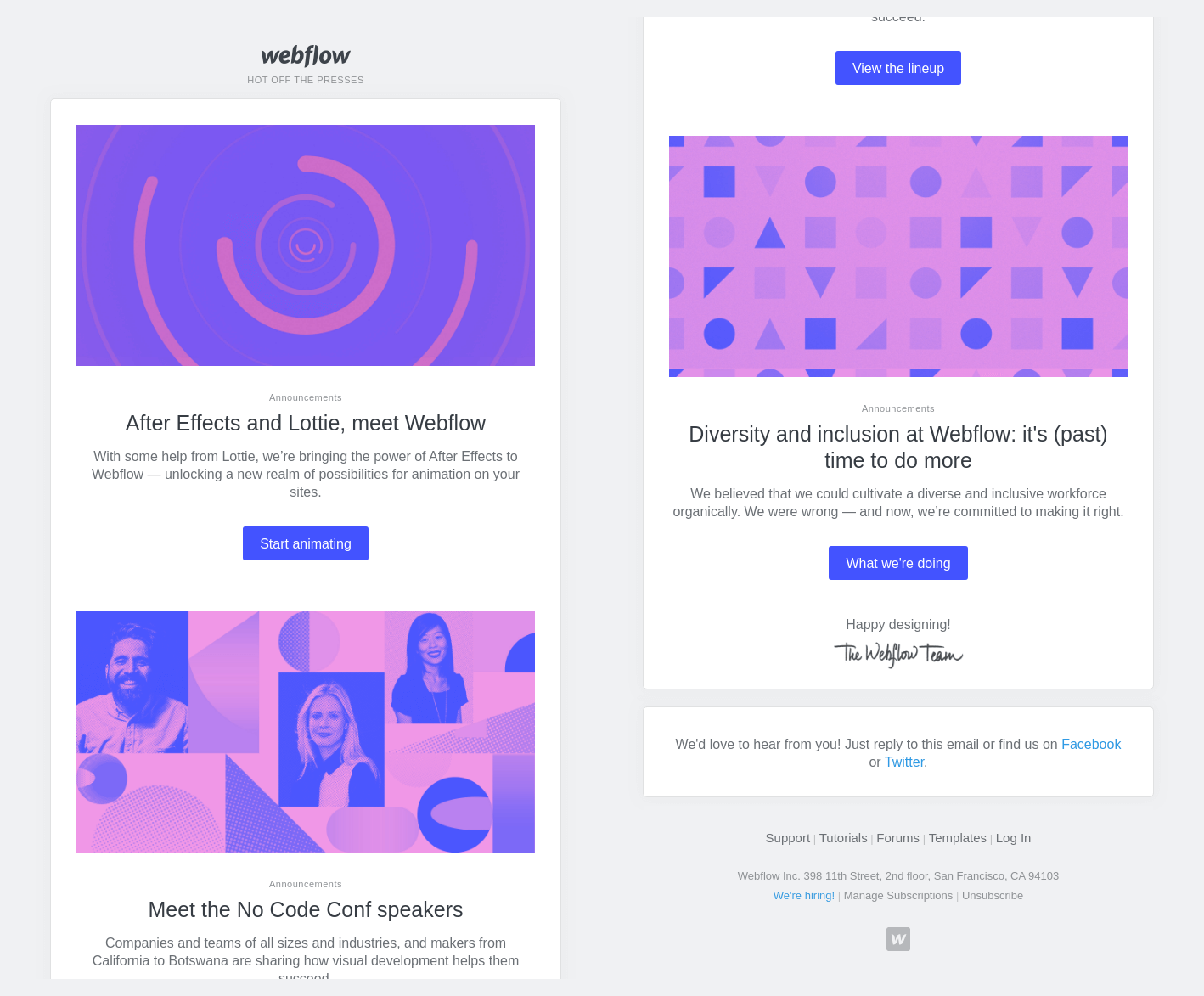
Webflow’s No Code Conf invitation states the ask and the timeframe up front, with a subject line a reader understands at a glance and no wordplay to decode.
22. Vimeo’s Co-Marketed Webinar Invite

Vimeo drives webinar registrations by co-hosting the session with a named partner and leading the invite with that partner’s people and credibility.
23. Litmus’ Social-Share Reveal

Litmus built engagement into an event announcement by revealing two of its conference cities and keeping the third secret until the campaign reached a set number of social shares.
Re-engagement and Retention Email Examples
Winning back a quiet user is cheaper than acquiring a new one, and email is the only channel that can reach a dormant account directly. The strongest re-engagement emails name the gap, remind the reader of the value they signed up for, and make returning a single easy step.
24. Zoom’s Use-Case Expansion Email

Zoom reaches users who have plateaued on core video calls and surfaces applications they have not tried, expanding how much the product is worth to them.
25. Asana’s Reactivation Nudge

Asana targets users who created an account and then went quiet, prompting one specific action: create or resume a task.
26. Intercom’s Subscription-Ending Notice

Intercom sends a win-back email warning that a lapsing subscription will end in seven days, pairing a firm deadline with a one-click path to keep the account active.
27. Buffer’s Behavior-Triggered Reminder

Buffer’s automated email fires when a user has been registered for a week without sharing a single post, catching the gap before inactivity hardens into a churn.
28. Trint’s Positive-Reinforcement Upgrade

Trint opens its upgrade prompt by celebrating the number of transcriptions the user has already completed, leading with the reader’s own success before it presents the ask.
Personalized and Behavioral Email Examples
Real personalization has nothing to do with a first-name token. It comes from building the email around what the recipient did, so the message feels one-to-one even when it reaches thousands. This is the category where B2B email is pulling furthest ahead.
29. Grammarly’s Weekly Writing Stats

Grammarly sends each user a weekly snapshot built entirely from their own activity: words written, accuracy, and how they rank against the wider user base.
The brands winning at B2B email in 2026 build the whole message from the recipient’s behavior. When the content itself is unique to the reader, open and reply rates climb because there is nothing generic left to ignore.
30. Calendly’s Role-Segmented Onboarding
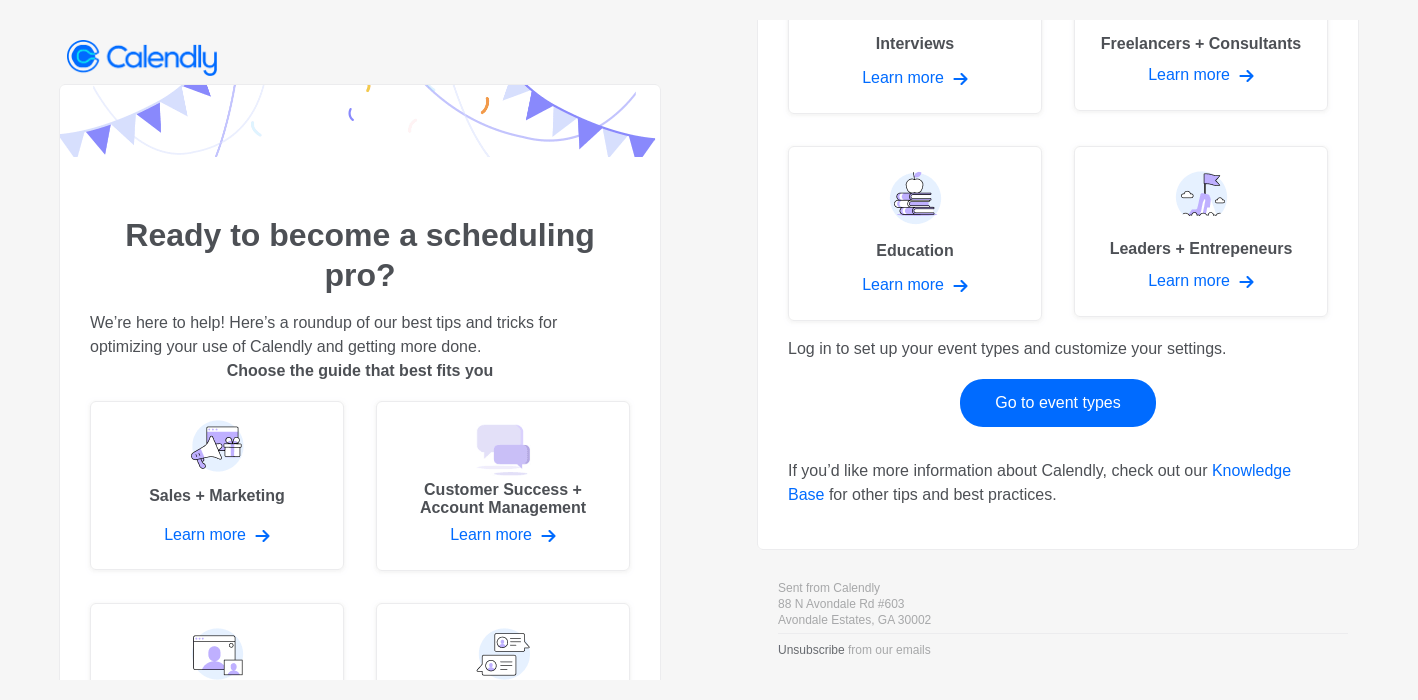
Calendly branches its onboarding by role at signup, pointing sales, customer success, recruiting, and other teams each to setup built for their job.
31. Loom’s Monthly Activity Recap
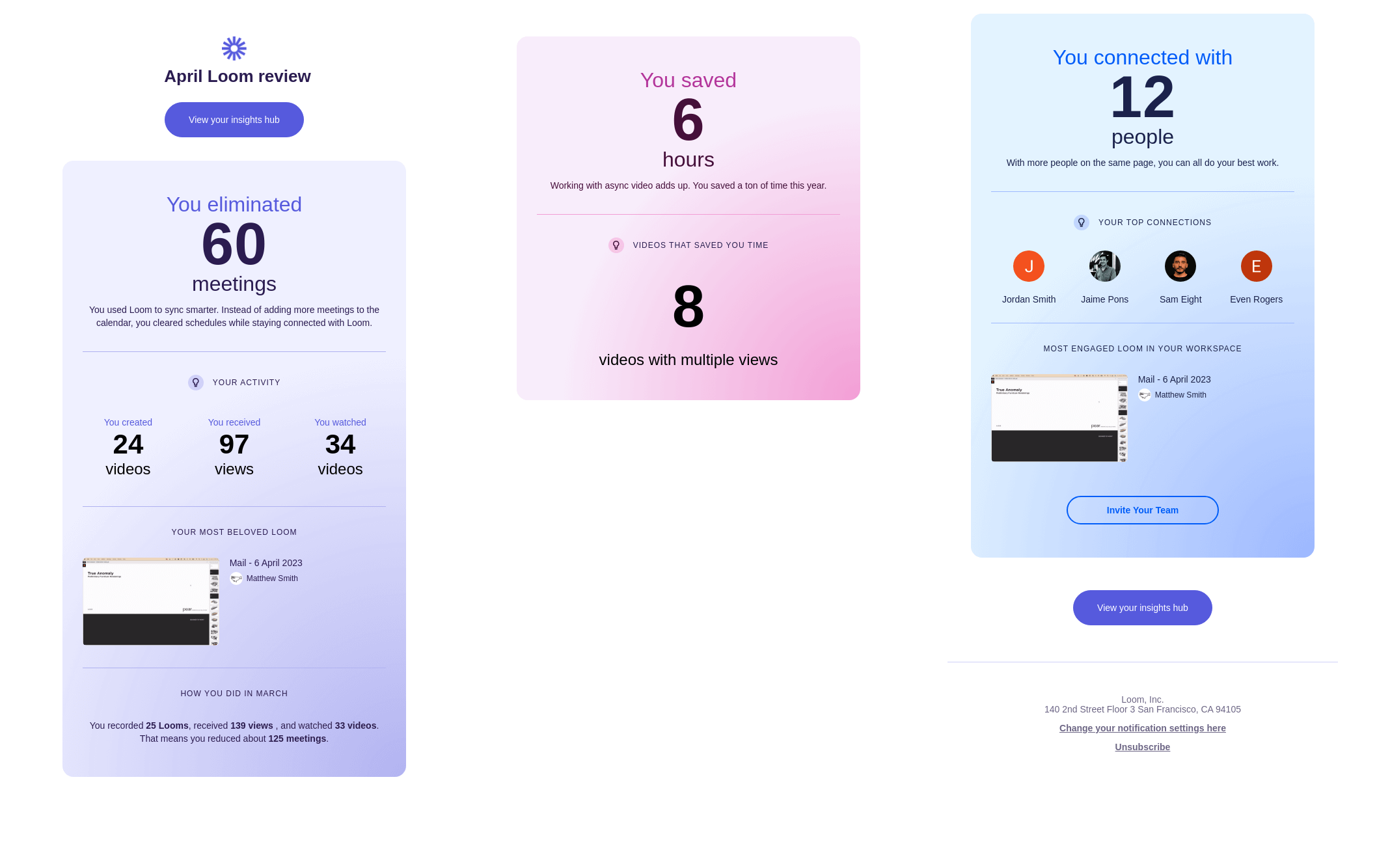
Loom sends each user a monthly review built from their own numbers: videos recorded, views earned, and people reached.
32. Framer’s Almost-There Nudge
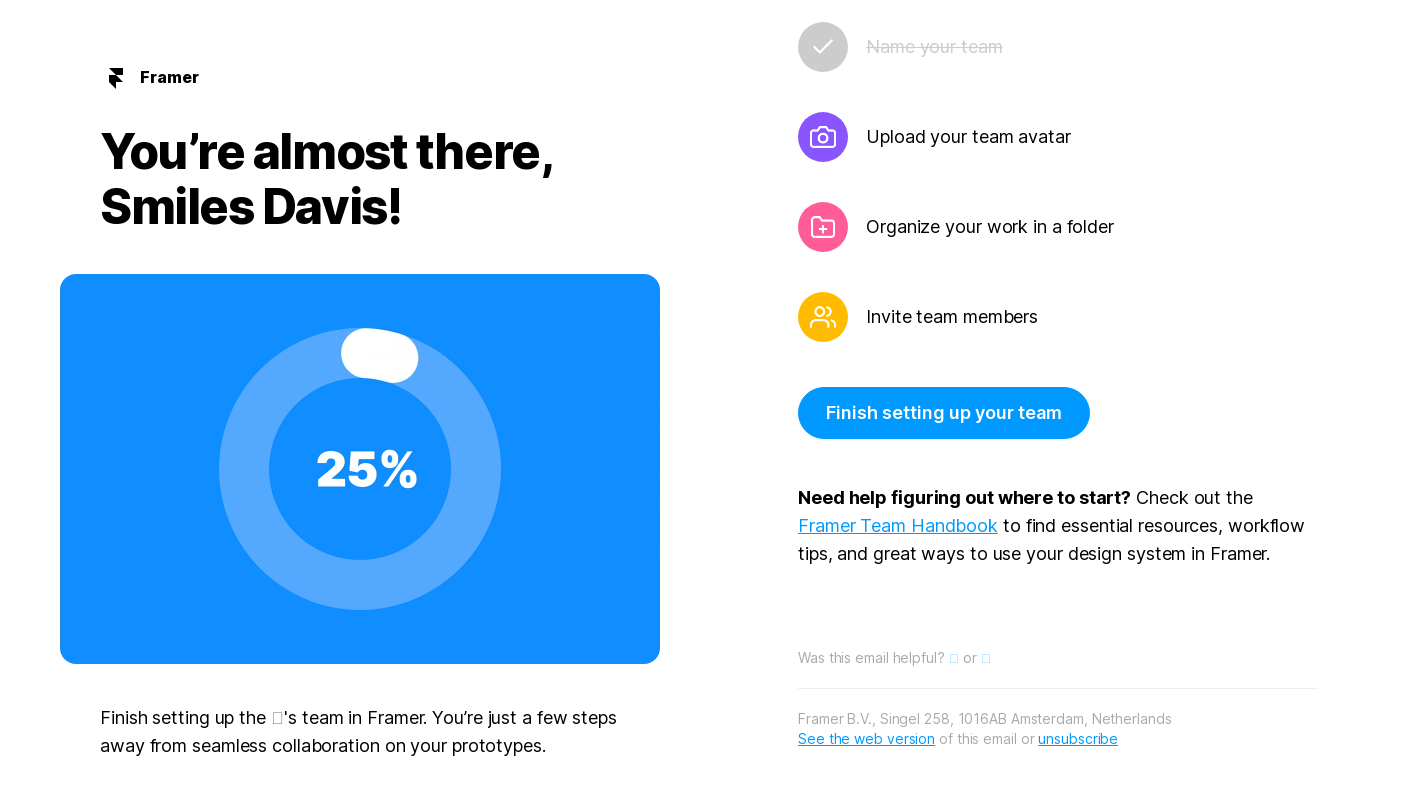
Framer fires a behavior-triggered nudge when a user stalls partway through setup, naming exactly how close they are and pointing to the one step left.
33. RescueTime’s Personalized Weekly Report
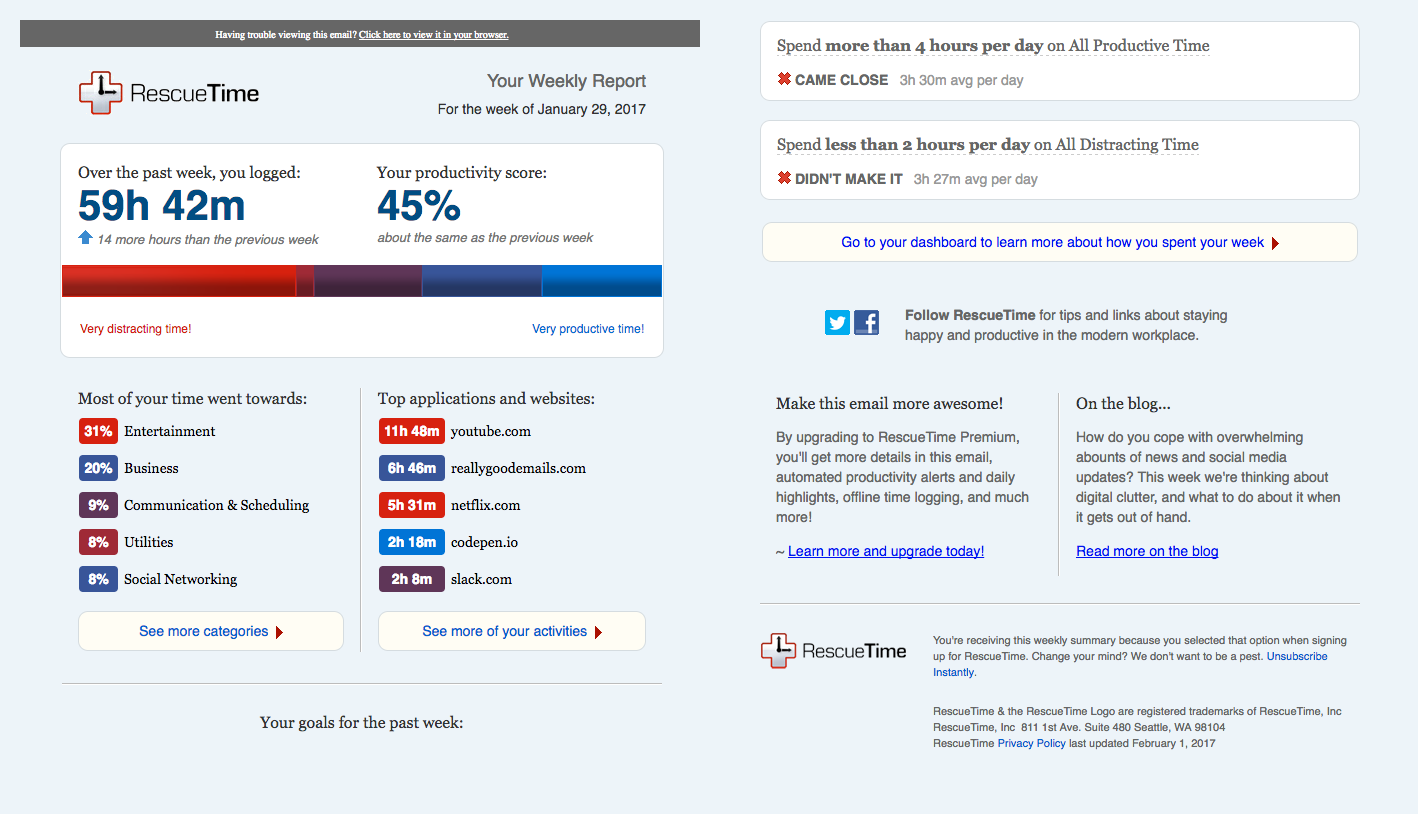
RescueTime emails each user a weekly report built entirely from their own tracked hours, turning personal data into a reason to come back.
Seasonal, Timely, and Milestone Email Examples
Timely email works because it arrives when the reader is already thinking about the topic. A seasonal or milestone send that lines up with the calendar in your buyer’s head feels less like marketing and more like good timing.
34. Figma’s Config Announcement Recap

Figma packages everything it announced at its Config event into one scannable recap, from Dev Mode to Variables, so users catch the milestone in a single email.
35. Grammarly’s Year-in-Review Wrap
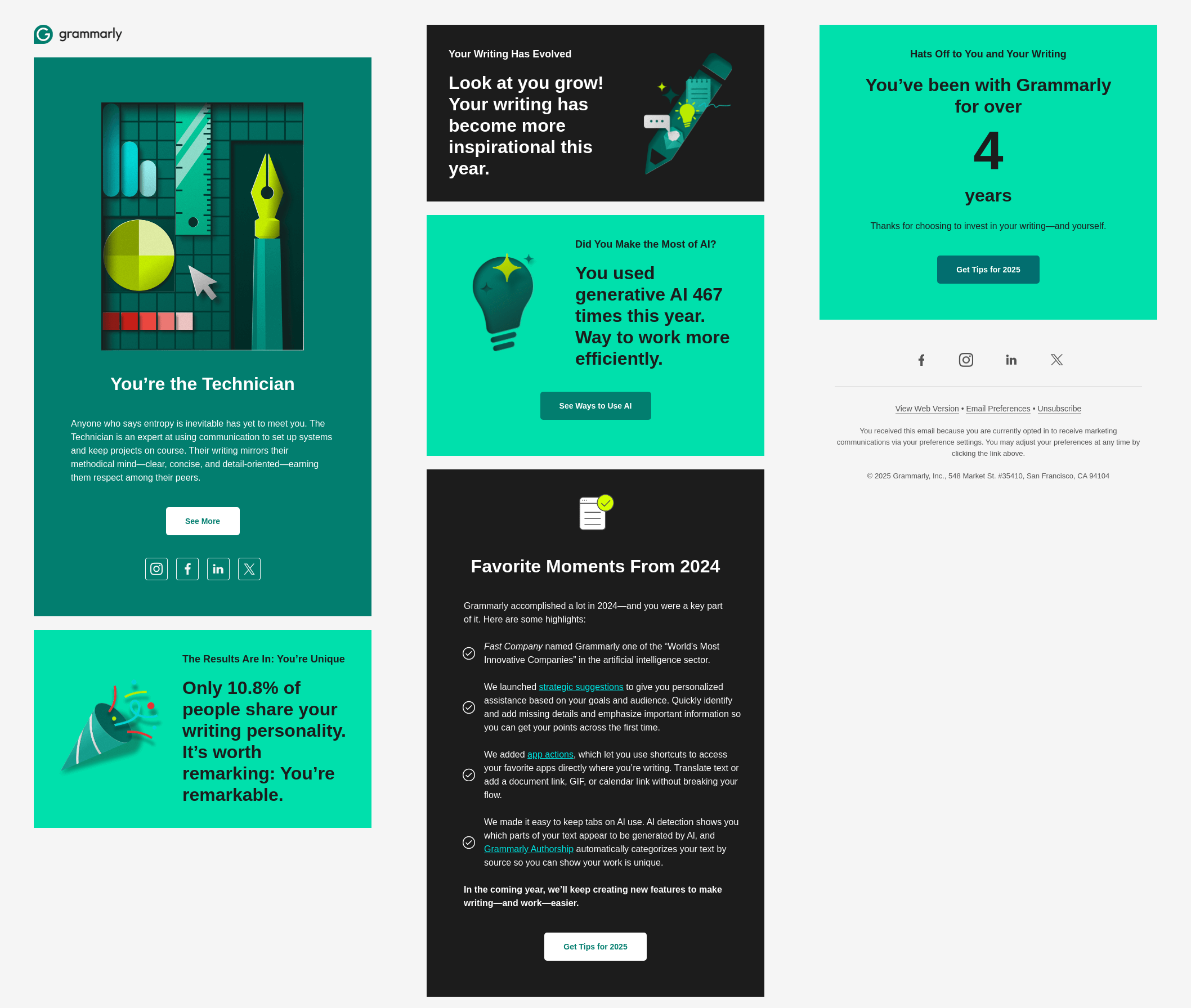
Grammarly closes the year by handing each user a shareable writing personality built from twelve months of their own activity, a format designed to be posted and passed around.
36. Dropbox’s Rewind Feature Email

Dropbox introduces Rewind, a feature that restores an account to an earlier point after an accidental mass change, expanding how customers picture the product beyond storage.
37. Trello’s Milestone Celebration
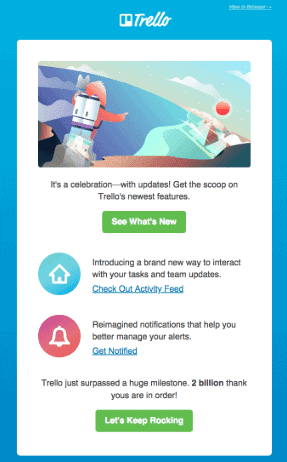
Trello marks a company milestone and folds a product update into what starts as a brand story, so the announcement carries both warmth and a reason to act.
38. Abnormal AI’s Year-in-Review Recap

Abnormal AI wraps the year into a branded recap that walks customers through the company’s wins, from analyst recognition to new AI capabilities, in one scannable email.
B2B Newsletter Examples
A newsletter is the one B2B email a reader opts into for the long haul, so it lives or dies on consistent value. The best ones give the subscriber a reason to look forward to the next issue, which keeps a brand in mind through a buying cycle that can run for months.
39. Stripe’s Annual Letter
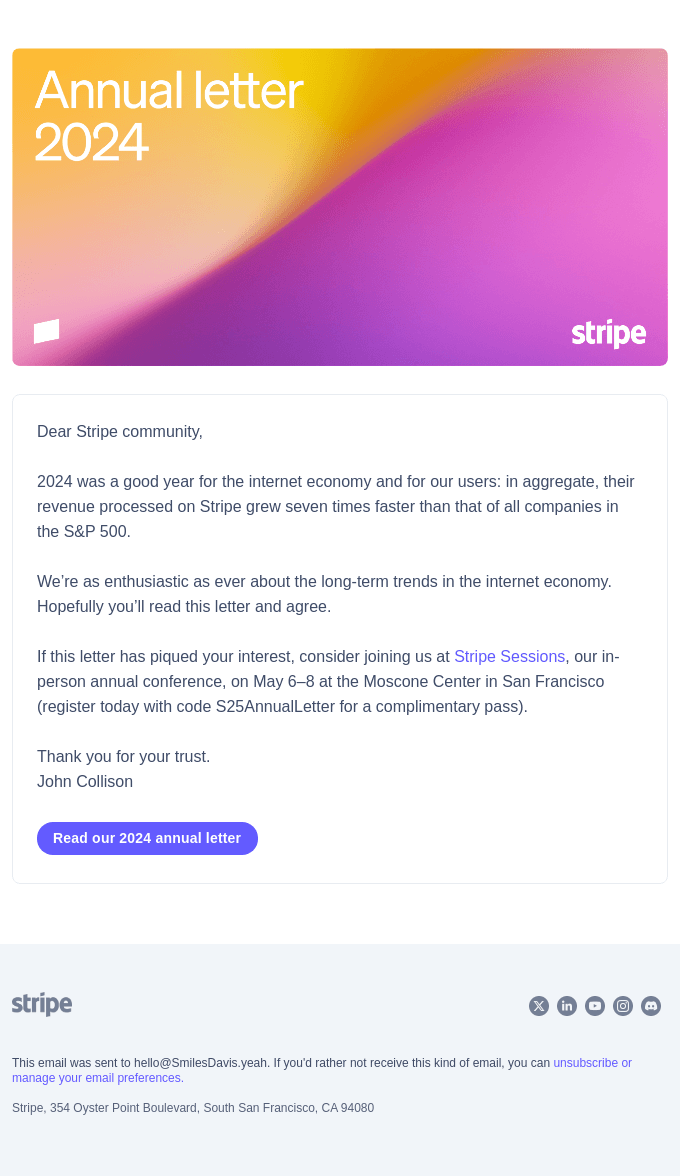
Stripe turns its annual letter into a subscribe-worthy read, using original long-form writing on progress and the economy as the reason to stay on the list.
40. Zapier’s Automation Digest

Zapier sends a recurring automation email that opens by asking where the reader wants to start, then offers ready-made ideas to get moving.
41. Amplitude’s Quarterly Insights Digest

Amplitude sends a quarterly digest of insights on product, AI, and business impact, positioning the brand as a source of perspective its buyers keep around.
42. Metabase’s Monthly Product Update
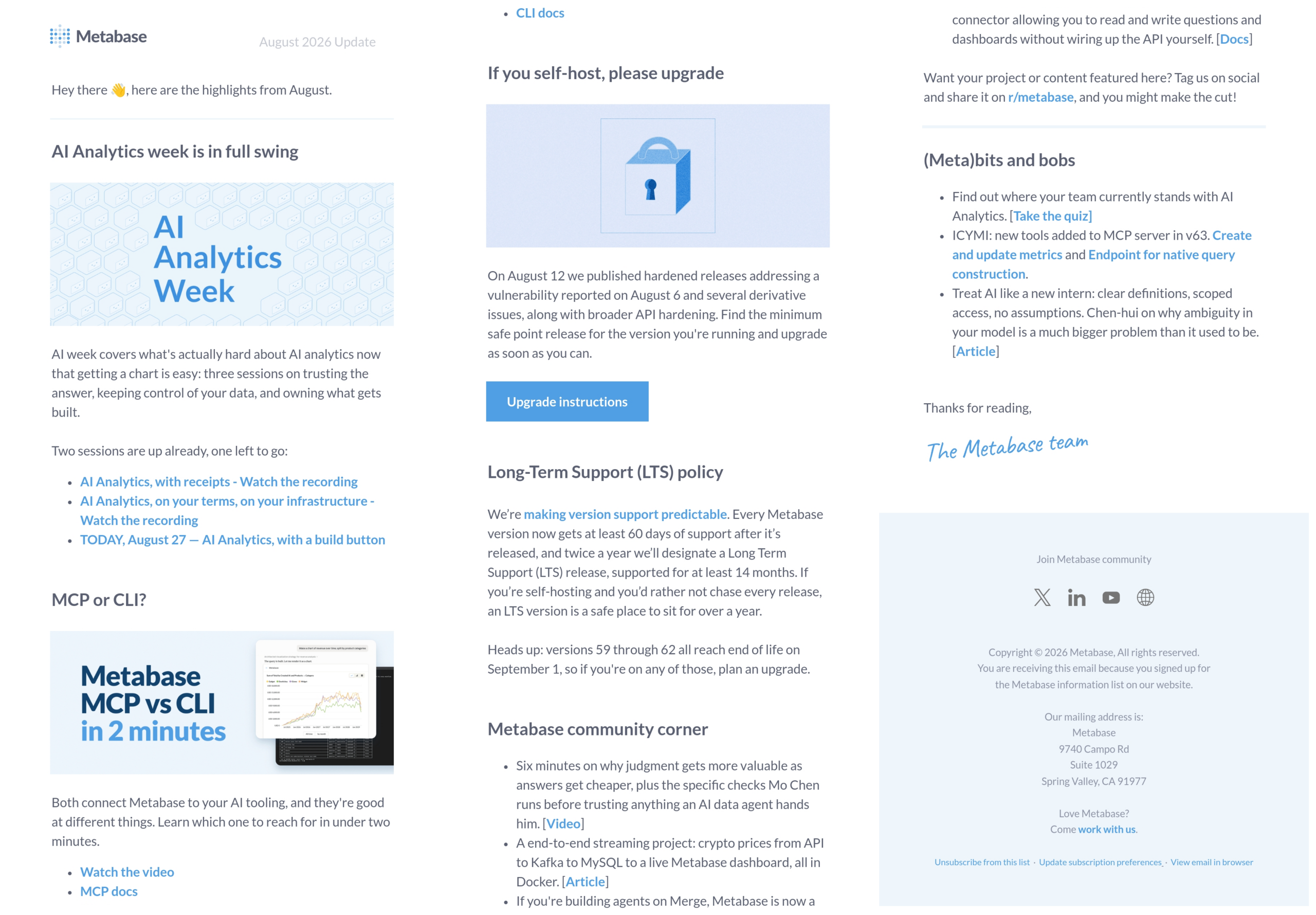
Metabase keeps subscribers close with a plain, monthly update from the team on what shipped and what is next.
43. Softr’s Product-Update Newsletter
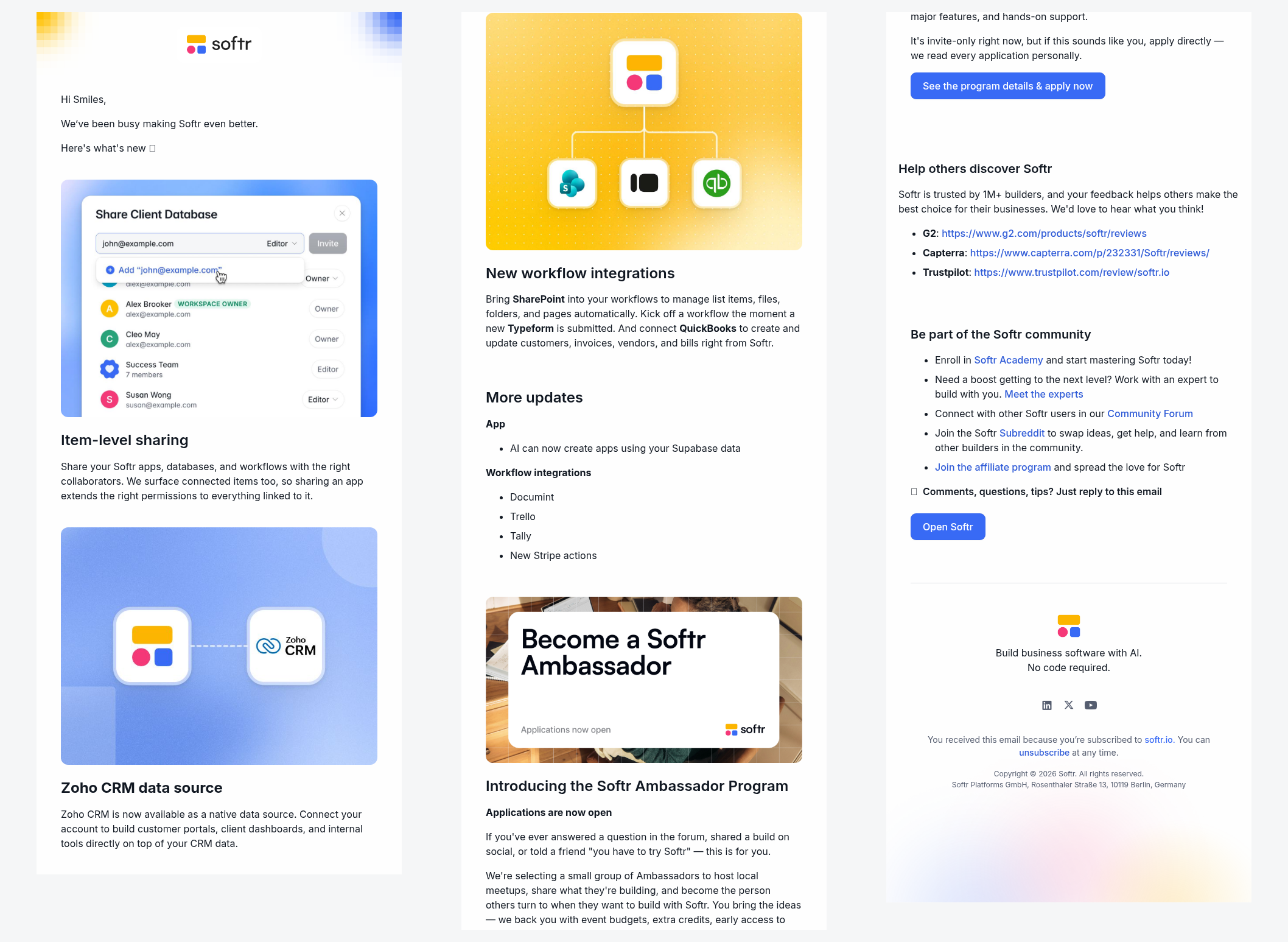
Softr sends a recurring product newsletter that rounds up new features, integrations, and a community ask into one clean issue for its no-code builders.
Brand-Building, Offer, and Support Email Examples
Not every B2B email drives a click to a landing page. Some build affinity, extend a specific offer, or make the reader more successful with the product they already have, and those emails compound into the trust that closes deals later.
44. Shopify’s Partner Program Invite

Shopify invites agencies and freelancers to join its Partner Program with an offer framed entirely around growing the reader’s own business.
45. Slack’s Invite-Your-Team Nudge

Slack uses its own core mechanic, team collaboration, as the premise for an email that asks existing users to invite colleagues and grow their workspace.
46. Ramp’s Value-Led Offer
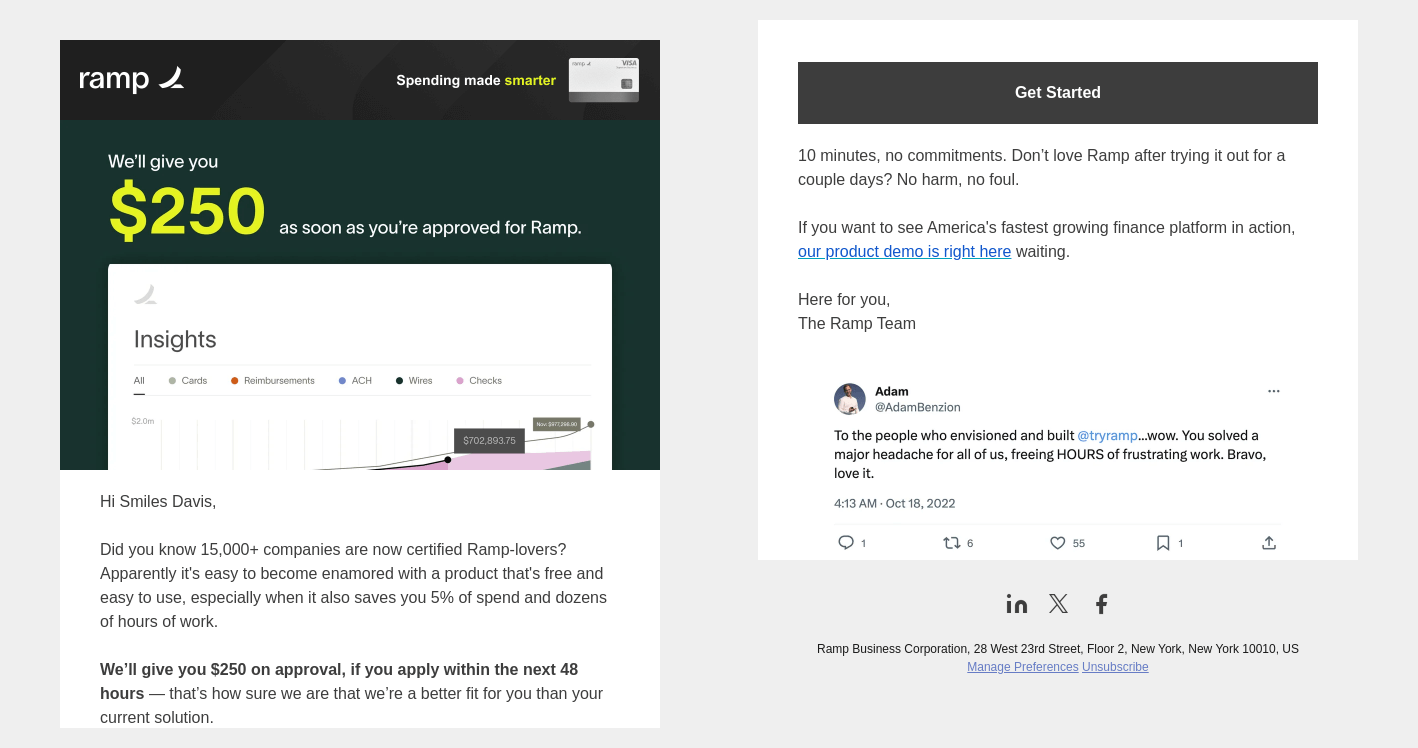
Ramp leads with the reader’s payoff right in the subject line, a $250 incentive for ten minutes and a fast path to get approved.
47. Airtable’s Welcome Email
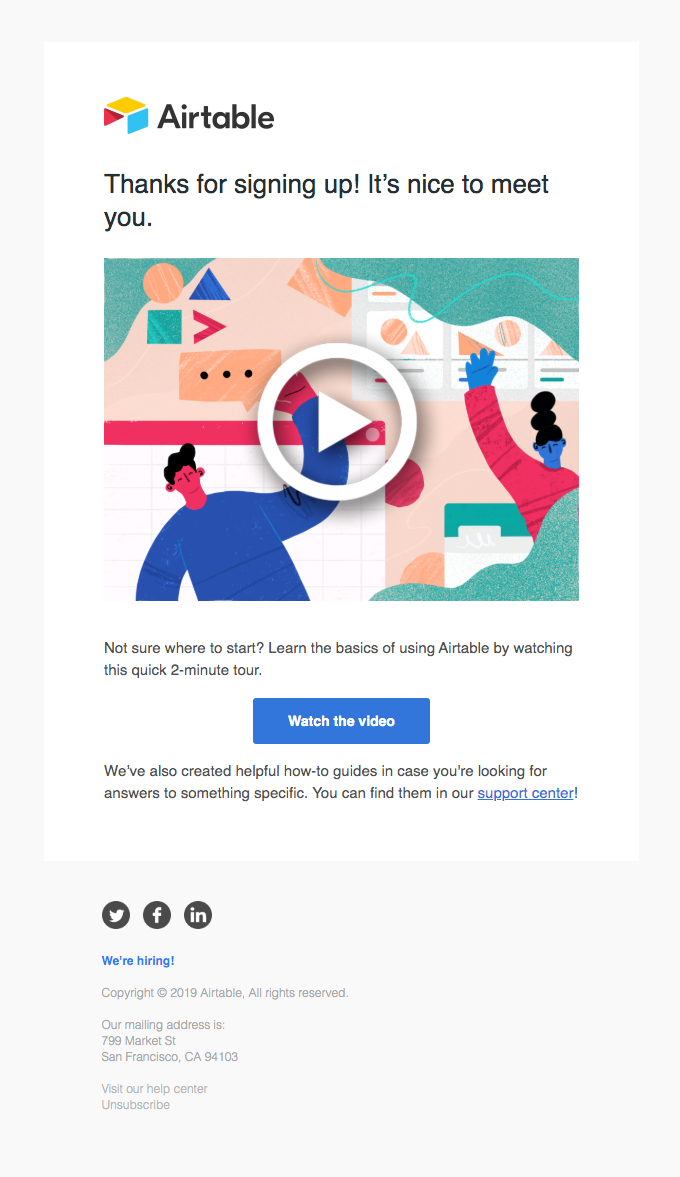
Airtable welcomes new users with a short, friendly note and a single video that shows what the tool can do.
48. Typeform’s Time-Boxed Feedback Request

Typeform lifts survey response rates by telling recipients exactly how long the survey takes and giving a clear reason to complete it.
49. Squarespace’s Support-and-Training Email
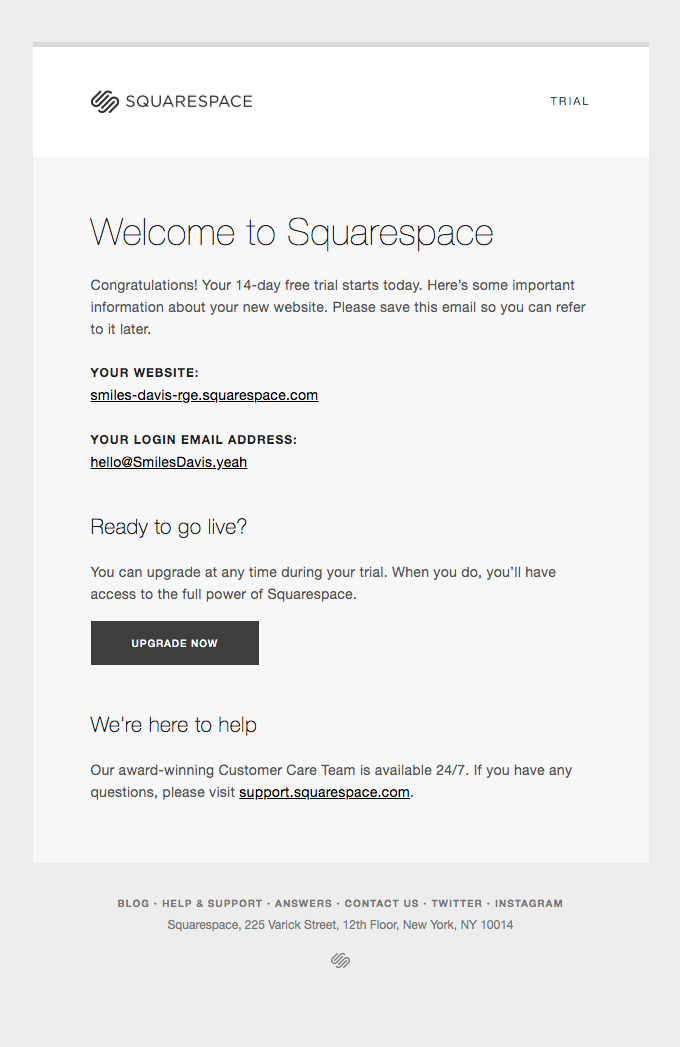
Squarespace gathers training webinars, getting-started guides, and a direct line to support into a single message that signals real commitment to customer success.
50. Google Ads’ Getting-Started Email
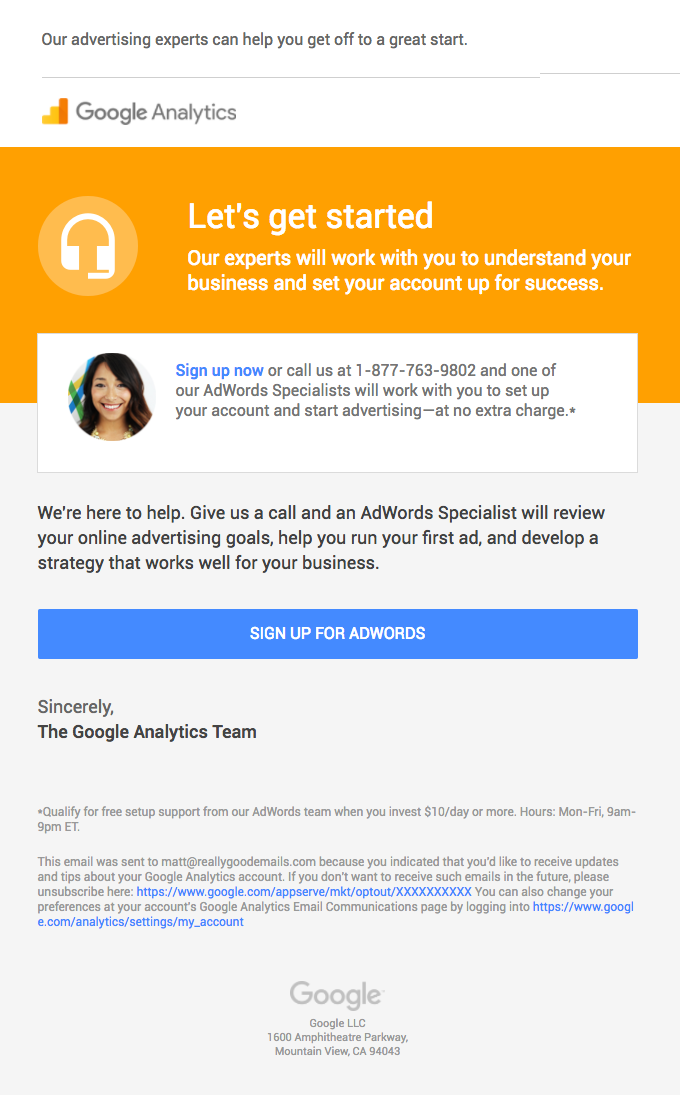
Google gives new advertisers a getting-started email that leads with a human offer of help and one clear first step, lowering the anxiety of a complex platform.
What Makes a B2B Email Campaign Effective
Across all fifty examples, the same four habits separate the emails that earn a reply from the ones that get archived: one clear ask, value before the pitch, the right person at the right moment, and personalization built from behavior. None of them require a bigger budget. They require discipline about what a single email is for.
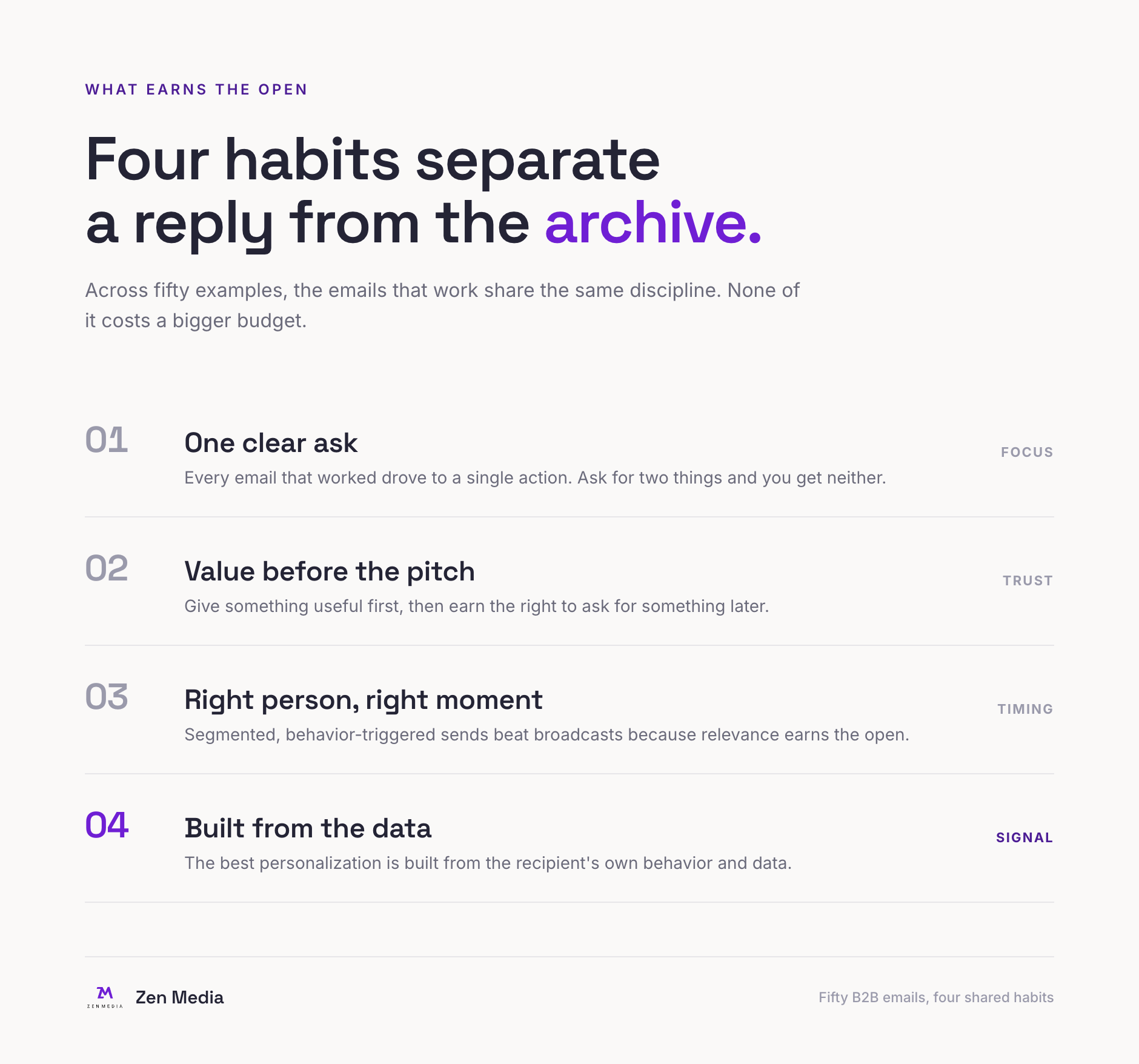
These habits are easier to name than to run at scale, and doing so consistently is where an experienced partner earns its keep. If you want help turning your email program into a system that runs on behavior and data, Zen Media’s B2B marketing services can help you build it, and our guide to B2B content marketing shows how email fits the wider strategy. For teams tightening the funnel end to end, our B2B SEO guide pairs naturally with a strong email program.
Frequently Asked Questions
What is B2B email marketing?
B2B email marketing is the practice of sending targeted email to other businesses to build relationships, educate buyers, and move them toward a purchase. It covers welcome sequences, product updates, educational content, event invitations, re-engagement, and newsletters, usually sent to a segmented list and triggered by what the recipient does.
What types of emails work best for B2B?
The highest-performing B2B emails fall into nine jobs: welcome and onboarding, product updates, educational content, event and webinar invites, re-engagement, personalized and behavioral triggers, seasonal and milestone sends, newsletters, and brand-building or offer emails. The best programs run all nine and match the email type to where the buyer is in their journey.
How often should B2B companies send marketing emails?
Send frequency depends on the email type. Lifecycle and behavioral emails fire when a trigger happens, newsletters typically run weekly to monthly, and broadcast promotions should stay rare enough that each one feels worth opening. Watch unsubscribe and reply rates by segment and let those signals set the ceiling.
What is a good open rate for B2B email?
B2B email open rates commonly land in the high 30s to low 40s percent. HubSpot’s 2025 benchmarks put B2B services email at a 39.48 percent open rate and a 2.21 percent click-through rate, with a cross-industry average open rate around 42 percent. Treat these as directional and measure against your own baseline over time.
How do you personalize B2B email at scale?
Personalization at scale comes from data and segmentation, far more than a first-name merge field. Group contacts by role, plan, and behavior, then trigger messages off what each person does in the product. Brands like Grammarly and Loom build emails entirely from the recipient’s own activity, which makes a send feel one-to-one even when it reaches thousands.
Is email marketing still effective for B2B in 2026?
Yes. Email remains the channel with the highest measured return in a typical B2B stack, roughly $36 for every $1 spent according to Litmus, and 73 percent of B2B marketers still run email newsletters. As buyers rely more on their own research, owned channels like email give a brand direct access to its audience without an algorithm in between.
About the author: Sarah Evans is Partner and Head of PR at Zen Media, a global B2B PR and marketing agency. With 23+ years in communications, she architects PR strategy, drives earned media initiatives, and helps brands navigate AI-driven visibility. She is a regular contributor to Entrepreneur and has been recognized as a top writer on business and tech.